Tag: settings

Media Composer

Media Composer 2018 | Highlight Colors

How to change the highlight color in Avid Media Composer, and Source/Record colors. In Media Composer, when you select an item (clip, effect, track, etc…) it will be highlighted. You can change this color and customize the look of the interface. You can also have different colors for the Source and Record monitors and in

Open Link
Media Composer

Let’s Edit with Media Composer – 8K 4K 2K Offline/Online Part 1

I this lesson, Kevin P McAuliffe goes in-depth into Media Composer’s 2K/4K/8K and higher offline/online workflows. If you are working in Media Composer in a larger than HD project, and want to do an offline first, this tutorial is an absolute must. Learn how to set your projects up correctly from the beginning, so you

Open Link
Media Composer

Media Composer 2018 | Interface Brightness

How to change the brightness of the interface in Avid Media Composer. The default setting is a light gray, you can change this in; Settings – Interface and choose from light gray to very dark gray. You can quickly customize the look of your Media Composer interface ?

Open Link
Media Composer

Understanding Media Creation in Avid Media Composer

This tutorial will explain the different settings in media creation that you can alter in the project settings tab in Avid Media Composer! Software used: Media Composer 8.5.3 http://redarrowindustries.com/ https://www.facebook.com/RedArrowIndustries/

Open Link
Media Composer

Assigning Shortcuts to Mouse Buttons in Avid Media Composer

Are you using your mouse to its fullest potential? Watch this tutorial to see a quick way to assign shortcuts to your mouse buttons in Avid Media Composer! Software used: Media Composer 8.5.1 http://redarrowindustries.com/ https://www.facebook.com/RedArrowIndustries/

Open Link
Media Composer

Setting Up Email Notifications in Avid Media Composer

Today’s tutorial will show you how to use a little known Media Composer feature to setup user specific email notifications to notify you upon the completion of renders, exports and/or transcodes and consolidations. Software used: Media Composer 8.5.1 http://redarrowindustries.com/ https://www.facebook.com/RedArrowIndustries/
Open Link
Media Composer

The Video Quality Menu at a Glance in Avid Media Composer

From yellow to green, this tutorial gives an overview of what the different colors of the Video Quality Menu mean, and when you’re likely to use them in Avid Media Composer. Software used: Media Composer 8.5.3 http://redarrowindustries.com/ https://www.facebook.com/RedArrowIndu…

Open Link
Media Composer

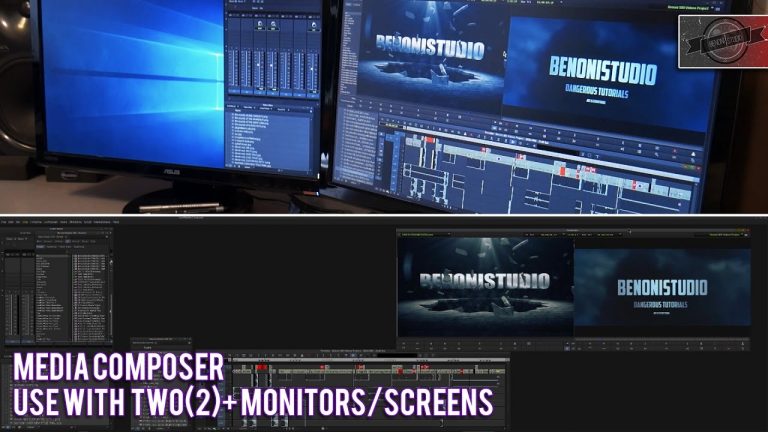
Media Composer with 2+ Monitors/Screens (Windows)

This video will show you how to use Media Composer across two monitors/screen when running on Windows, and give you some tips when use two monitors with Media Composer. We are using Media Composer 8.3 and Windows 10, but this is the same for any other version(s). Support BenoniStudio on Patreon https://www.patreon.com/user?u=4518225 Shirts https://shop.spreadshirt.com/Benoni Twitter

Open Link
Media Composer

Creating Custom Workspaces in Avid Media Composer

Looking for a way to maximize your efficiency when editing in Avid Media Composer? Check out this tutorial on how to create your own custom workspaces with linked timeline views and map them to your keyboard. Software used: Media Composer 8.5.1 WEBSITE: http://redarrowindustries.com/ FACEBOOK: https://www.facebook.com/RedArrowIndu…

Open Link
Media Composer

Let’s Edit with Media Composer – Finding Missing Master Clips

In this lesson, Kevin P McAuliffe is addressing another issue that was asked about recently on the Avid Editors of Facebook page, and that is how to get back Master clips that have either been deleted, or are missing (for some reason), from your project. It can seemingly be a frustrating task to track them

Open Link
Media Composer

Mastering Avid Media Composer’s Keyboard Shortcuts – Lesson 1: Tools

This is Lesson 1 in the Mastering Avid Media Composer’s Keyboard Shortcuts Series. This lesson focuses on Media Composer’s keyboard shortcuts for tools. For each shortcut we’ll dive into what this feature of Media Composer does as well. More below! Here’s a list of the shortcuts covered: – Audio Tool – Cmd/Ctrl+1 – Calculator –

Open Link